3D characters with AI: from pencil drawings to the game's first prototype
How I created the characters of Contos do Escuro with AI: shape language, reference sheets, 3D models and animation, all the way to the first prototype.
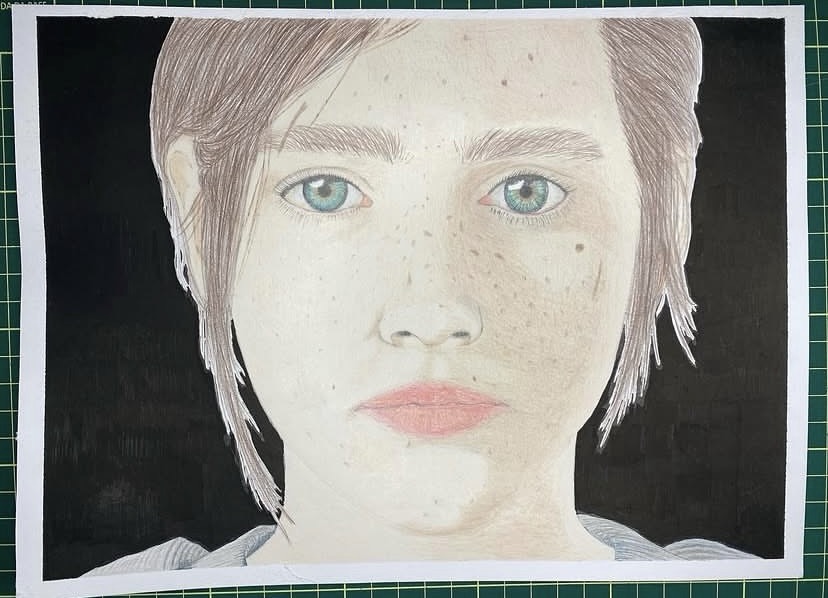
I've loved drawing since I was a kid. I spent many years of my life on art: I learned to draw in graphite, then colored pencils, painted on canvas and took a few classes on character creation. The problem is that I was always really bad at imagining something and turning it into a good-looking piece. When I had to copy a drawing, I did it reasonably well. Some pieces I managed to pull off on paper, like this one of Ellie from The Last of Us, which is one of my favorites.
But when it came to creating a character of my own, things were different. There's a character I'm planning for some future chapters, one I've carried since my teenage years (no spoilers for now), and I always had a hard time getting that character onto paper. My characters kept coming out with the same shapes.
What shapes say about a character#
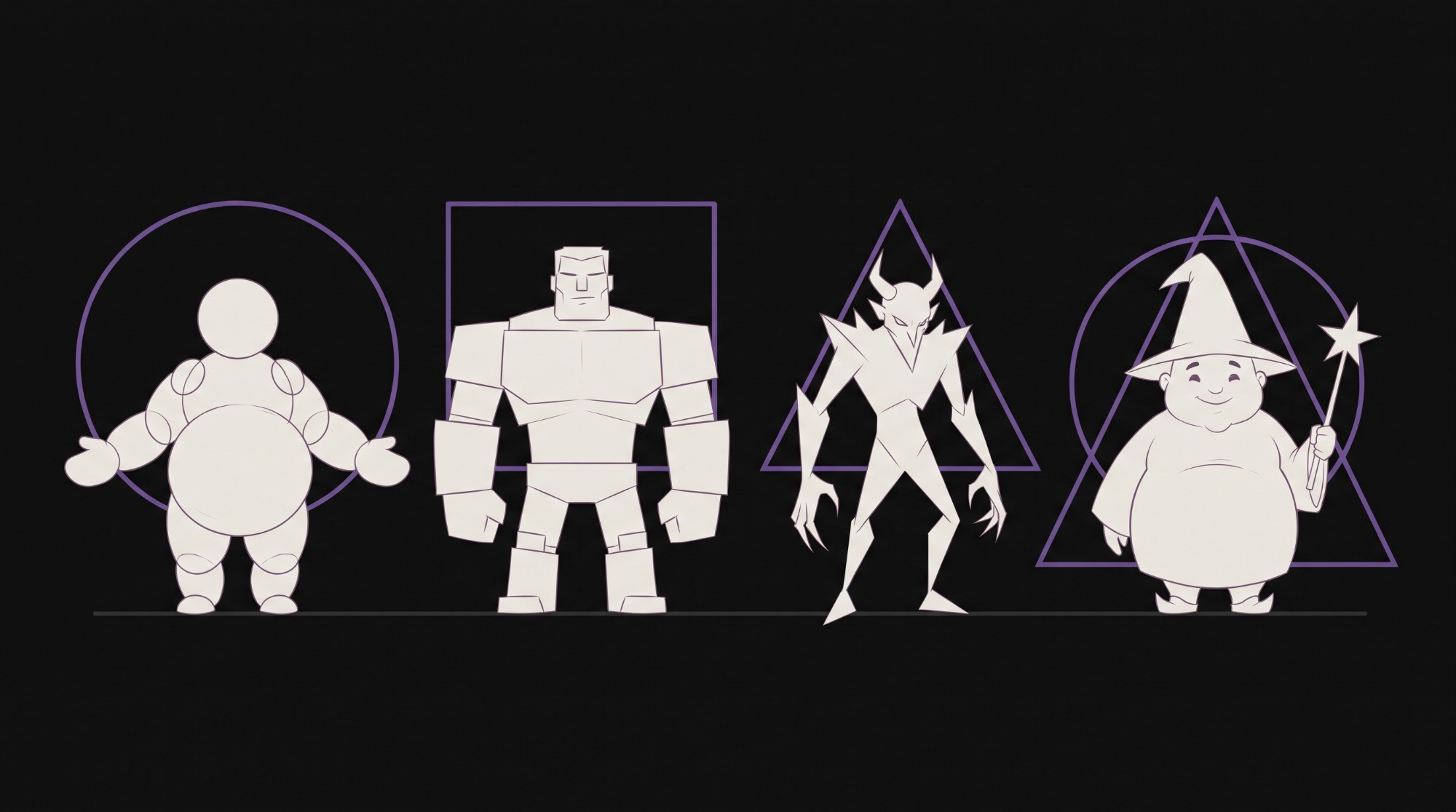
In one of my courses, I learned how a character's geometric shape sends a message before any detail does. In character design, this is called shape language. People read the silhouette first, the big masses of the body, head and clothes, and associate each shape with a feeling. It all starts with three shapes.
Circle#
A circle has no points or corners, so it reads as soft, safe and welcoming. It shows up in friendly, naive, funny or cute characters: round faces, full cheeks, teardrop-shaped bodies. It also suggests movement and energy, like a rolling ball.
Square#
A square has a wide base and right angles, and it conveys stability, strength and reliability. It's the shape of protectors, strongmen and stubborn types: broad shoulders, straight jaw, blocky muscles. The flip side is rigidity, someone hard to move, literally and figuratively.
Triangle#
A triangle's points grab attention and convey danger, aggression and tension. That's why it shows up so often in villains: narrow chin, V-shaped eyebrows, pointed shoulders, claws, horns. But it isn't reserved for villains. On a hero, the triangle of broad shoulders tapering to the waist conveys action and agility.
You can see this everywhere: wizards wear pointed hats, monsters have claws with triangular tips, and strong characters have squarer muscles.
Almost no character is made of a single shape. Usually there's a dominant shape that defines who they are and a secondary one that adds nuance. A strong, menacing character might have square parts on a triangular body. A friendly wizard might have a round, chubby body and a smile, with a wand topped by a pointed star and a pointed hat: the base says he's one of the good guys, and the points say he has power. There's a lot of room to play with this.
A well-known example is Pixar's Up. Carl, the grumpy old man stuck in the past, was designed from a square, and Russell, the energetic boy scout, from a circle. The contrast between them tells you about their relationship before either of them says a word.
With AI, I finally made the jump I'd been missing: I think of the character, describe it, turn that into a prompt, and the image manages to convey what I had in mind.
How Dunkel got to his current form#
The main villain went through a long process. At first, he wasn't supposed to look like he does today: he was going to be some kind of wolf.
I've been building this story for more than 15 years. Everything in it comes from my surroundings: my life, what I see and notice with friends and family, the movies and shows I watch. My worldview, so to speak. But since I'm taking a long time to finish the story, other people with similar views have been creating similar characters. Stories with some similar symbols started showing up, stories that, to be honest, I've never read. To set my villain apart from them, I changed the character a bit.
I researched a few cultures. I really like Norse and Egyptian culture, and also Christianity and the Jewish tradition. But I wanted to bring in other things too, from Brazilian folklore, which I plan to use more later on, and from North American folklore. That's where I took some symbols from a few cultures and mixed them to create this character.
The name, Dunkel, comes from German and means dark. I'm not sure about the correct pronunciation, because I don't speak German; I just looked up a few words, but that's the idea behind the name.
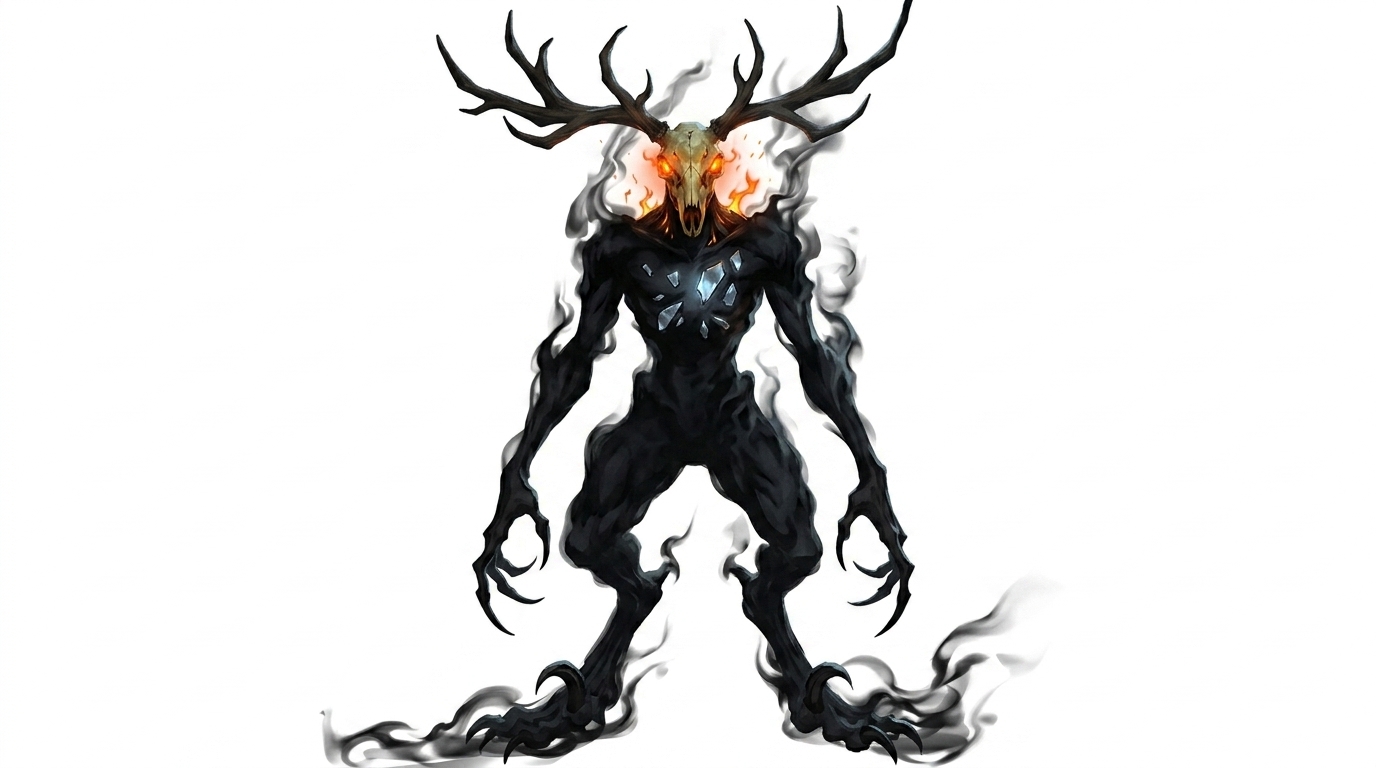
With these changes, he ended up with sharper shapes: branches on his head and a deer-like look, shards of window glass in his chest, some smoke and that burnt look, with embers. He brings together traits he reveals throughout the book.
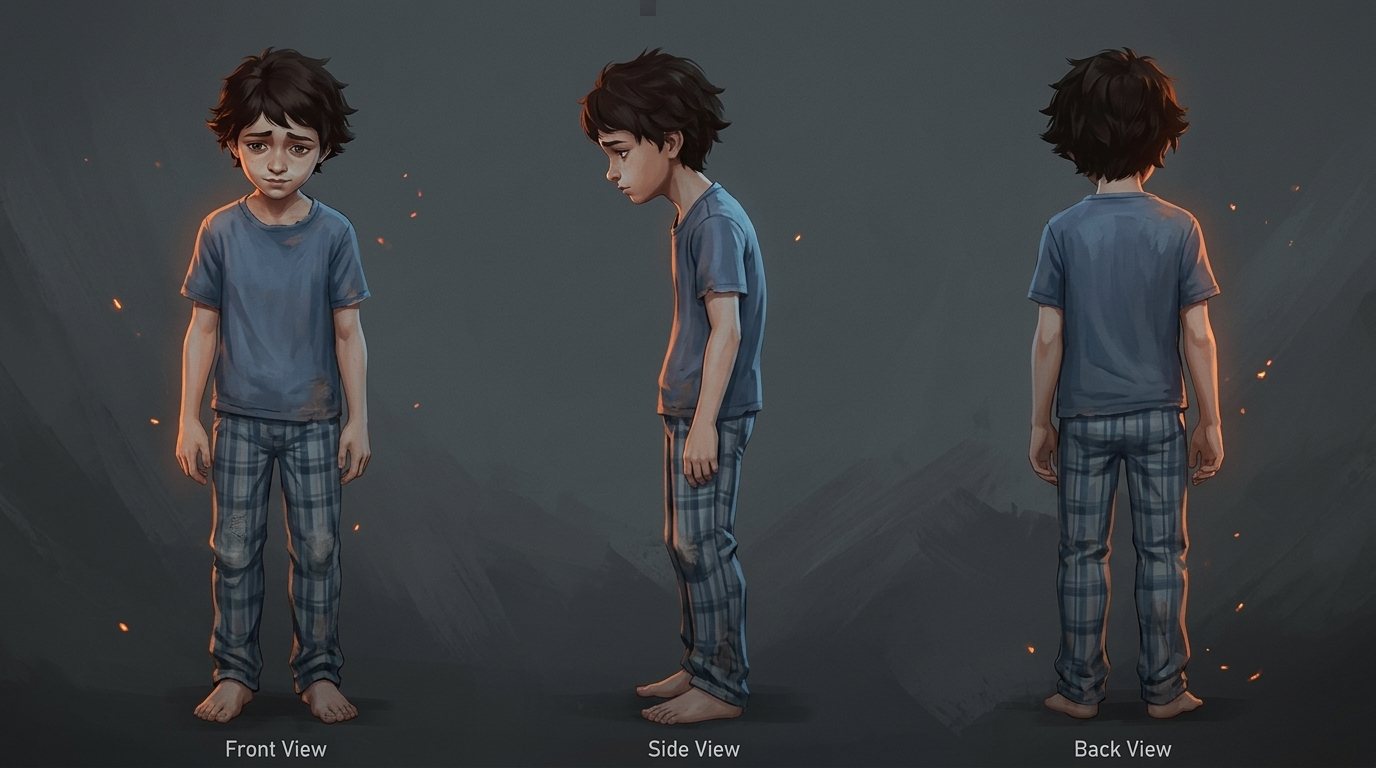
Tiago and Miguel came from a different place. Neither of them is a portrait of one specific person. Over these 15-plus years, I gathered traits of my own, of my friends and of people close to me in general, and the two characters took shape from that mix. Tolkien worked in a similar way. He said he disliked allegory, yet he called The Lord of the Rings a fundamentally religious and Catholic work: many scholars see traits of Christ split between Gandalf, Frodo and Aragorn, and Lúthien was inspired by his wife, Edith. Miguel may still change throughout the book, but in this first chapter, both look the way I show here.
From prompt to reference sheet#
Once everything was in place and I knew what I wanted to convey, I turned it into prompts, and Claude helped me format them. I ran those prompts in Gemini to first create the reference sheet: the character from the front, the side, the back and in other poses, to get an idea of how it would look.
From image to 3D model#
With the reference images ready, the next step was turning the character into 3D. I first tried Meshy AI, and the result was really good, but downloading the model required paying. So I fed the images into Hunyuan3D, a Chinese AI from Tencent that turns images into 3D models and was free. It isn't as good as Meshy, but it was the best I could get with the free plans I had access to, and it served me well: since the game's camera sits a bit far back, the quality it delivers is enough.
In the end, it gave me a model even more faithful than I expected, just with far too many polygons. If I had dropped it straight into the game, it would have been very heavy. So Claude helped me take the model into Blender, clean it up, merge the parts and reduce the polygon count (each character ends up with around 16,000 triangles), so it could go into the game and run more smoothly.
Animation in Mixamo#
With a clean model, the next step was animation. For that I used Mixamo, a free Adobe platform that already has character movement mapped out: idle, walking, running, jumping and many other moves. Depending on the game, you can even have the character holding weapons and other things.
Once I uploaded the character to Mixamo and downloaded the animations, Claude, with access to the files, could already get those movements working inside the game. It kept pointing out which animations I needed, and if I need something else, like pushing an object or performing some action, I go back to Mixamo, download it and put it in the game. If I need to adjust lighting or textures, Claude can do that inside Blender too.
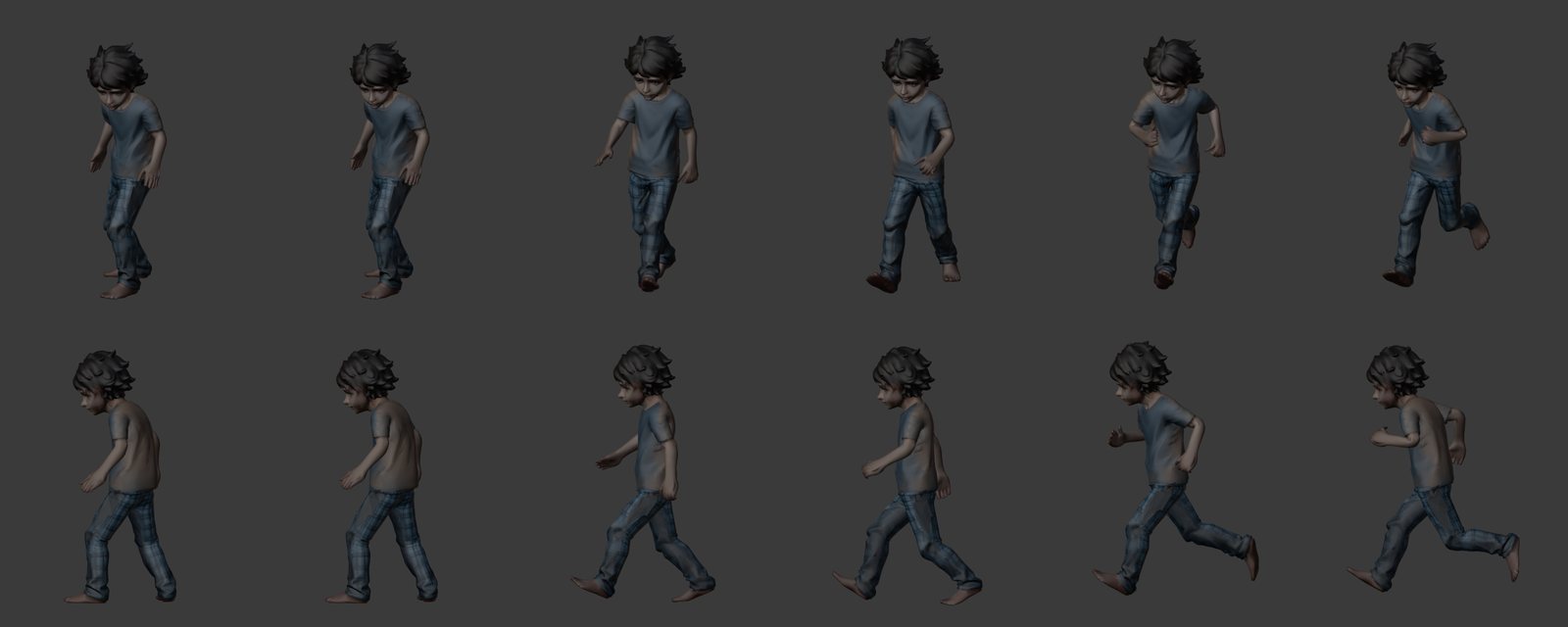
Honestly, I'm still not very happy with these Blender files. They still have a lot of mesh problems that would take a really good artist to fix. But since the character sits a bit far away on screen, with no zoom and no close-up shots, and since I'm choosing to make some cutscenes as videos with other AI tools, they work for now.
The arms-at-the-sides trap#
There are some traps when you use AI for this. The generated model can come with polygon problems, for example under the arms, and that's where a lot of fixing comes in. I found that the best approach is to ask the image AI to create the character in a T-pose or an A-pose right away, with the arms away from the body, because that helps a lot when the other AI builds the mesh.
When it came to Miguel, his arms were glued to his body. In Mixamo, when he raised his arm, his shirt went up with it.
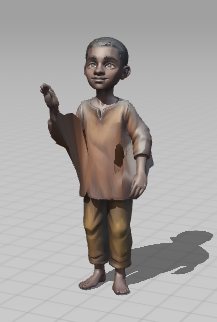
I had to make a lot of adjustments to get rid of these problems, and Claude helped me with several fixes in Blender: separating the sleeve, rotating the arm into an A-pose and rebuilding the armpit. Even so, the result was bad.
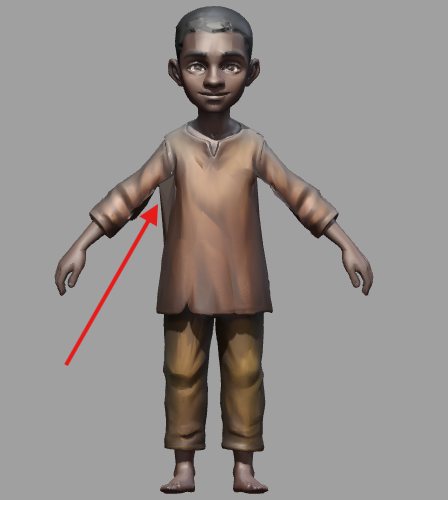
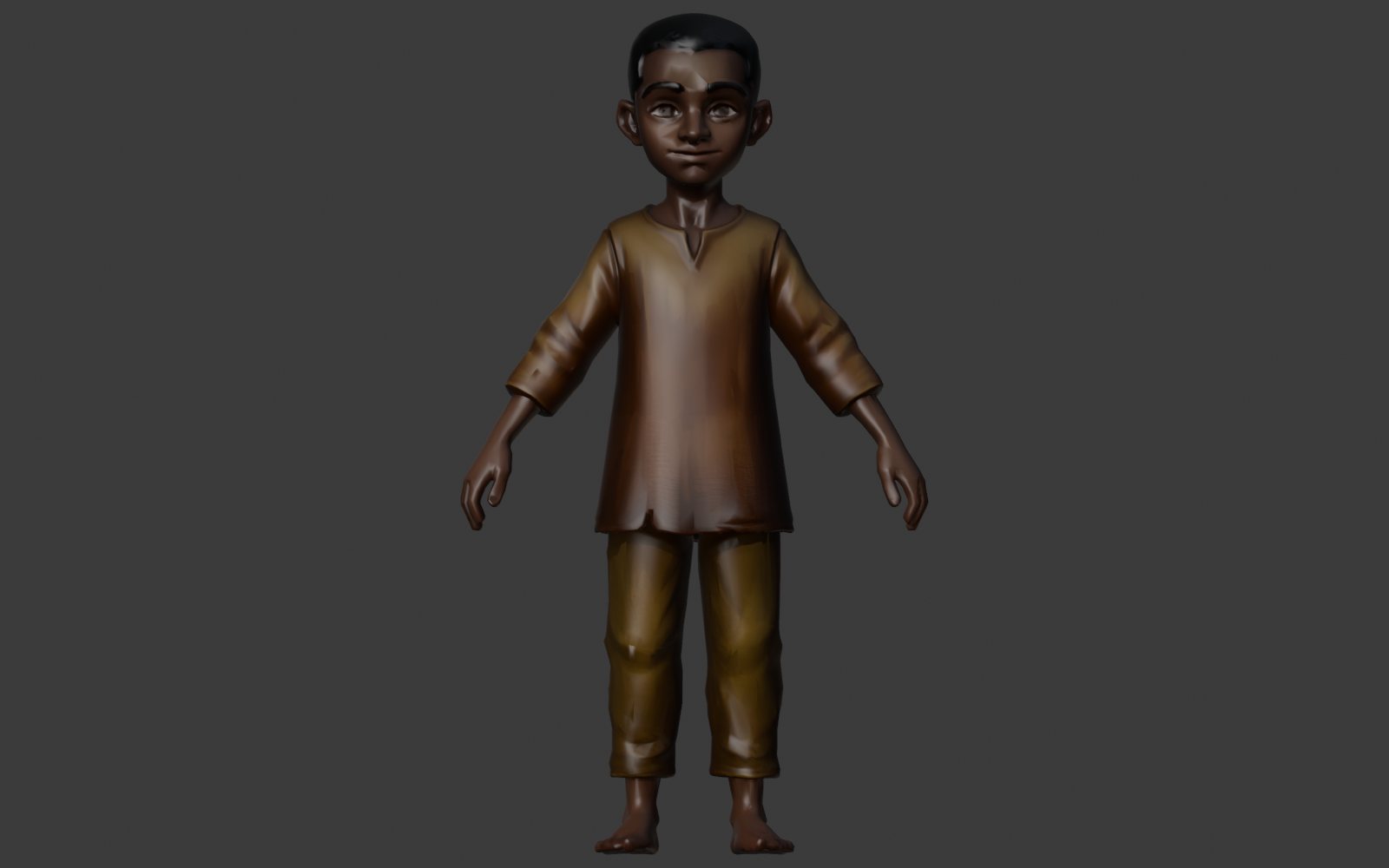
So I generated a new model, already in an A-pose and with the shirt sleeve loose from the body. This third version went through the same Blender prep as the other characters, with no pose adjustments at all, and went straight to Mixamo.
The first prototype#
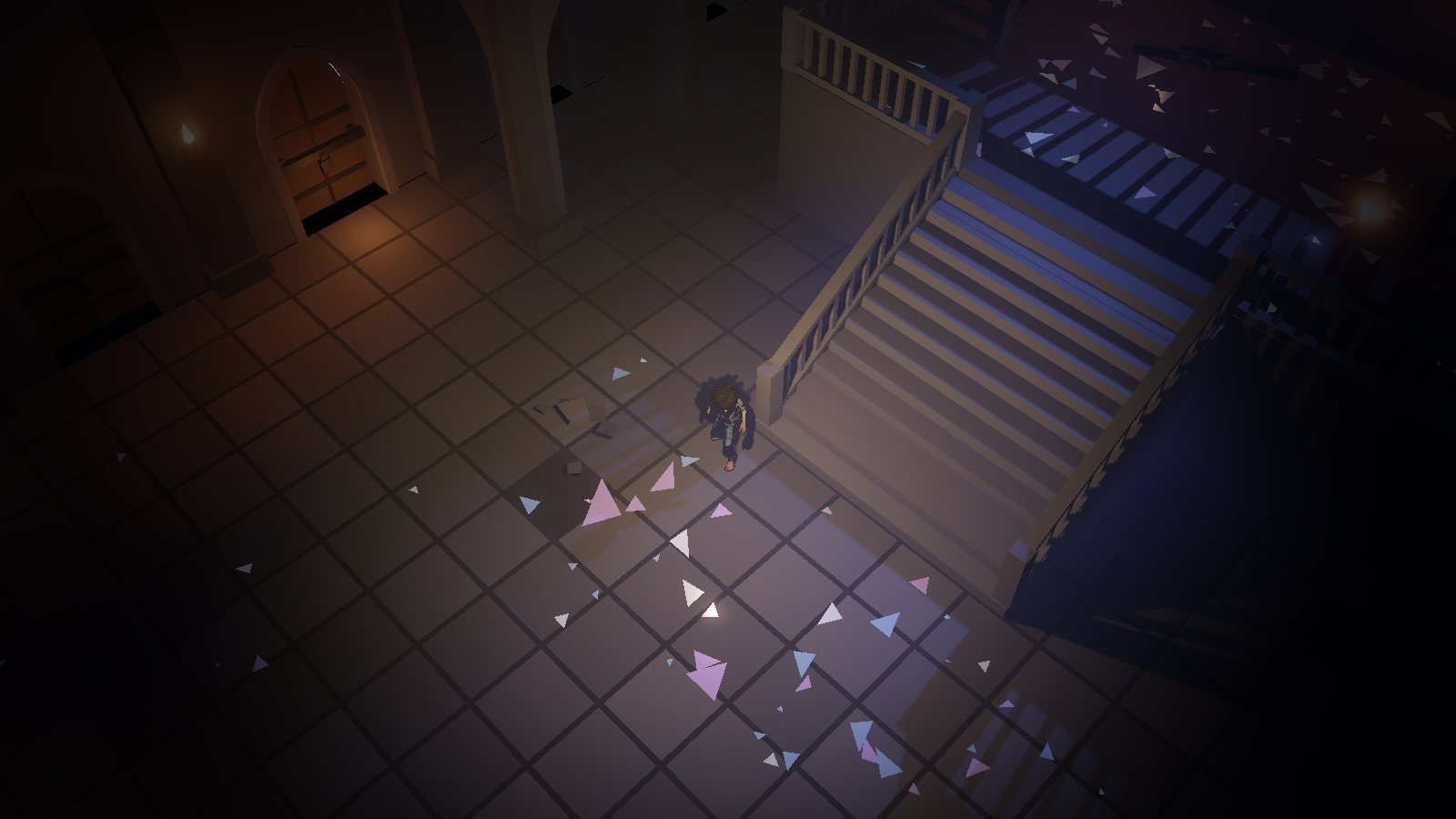
Once I had at least the first characters done (Tiago, the main character who walks around the castle, and Miguel, for that first encounter), I wanted to run a first test in the castle: Tiago walking around, so I could see him walking and running and figure out how to build the levels, which until then were very conceptual.
From there, I asked the AI to start working on the actual game and build the main structure of the first level. It was a first prototype, without much lighting detail, just the character, so I could see what it felt like to walk around and control him. I didn't want to work with all the other characters, or it would get too heavy. I asked it to simply duplicate the characters we already had, changing a few features to tell them apart, so I could get a sense of the game with as little effort as possible. If I had spent a lot of time at the start making every character, and putting them all in the game made it too heavy, I would have wasted a lot of time before getting that first idea. Once I saw it was viable, I kept improving it.
All of this in three hours#
I even posted this first experience on my Instagram, and I was really happy to have pulled all of this off. Everything I've described so far was built on a day when I left work at 6 p.m., and by 9 p.m. it was done. In those three hours, I defined the whole process, created the character images, made the animations, put everything in the game and got the character running.
And that was with Claude Opus 5.5 on the Pro plan, the cheapest one. I didn't need Fable or any other more expensive AI, and I didn't pay anything extra. I only used the plan I already had, with everything well set up on my computer.
Once you define the architecture of what you want, have all the programs installed and put the AI to work, you save a lot of tokens and a lot of time, as long as you know where you want to end up. One thing that doesn't show up in that count is the time all of this had already spent in my head, with the story already built. I didn't start from absolute zero. But when you already know what you want and have that background, everything from there on is much faster and much more on target. In those three hours, I already had the minimum result I needed to see that the game could happen.
The first door of Contos do Escuro is ready to play: download the game for free.